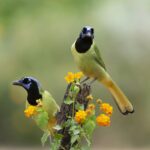
A bird feeder has always offered a front-row seat to the small dramas unfolding in the backyard. Chickadees dart in for sunflower seeds, cardinals linger cautiously at the edge, woodpeckers investigate anything that looks remotely edible, and squirrels inevitably attempt to join the party.
A bird feeder camera takes that experience a step further. Instead of needing to be beside the window at exactly the right moment, you can capture photographs and videos of visiting birds automatically. Many newer models can send alerts to your phone, record slow-motion clips, store footage, and even suggest which species has arrived.
For beginning birdwatchers, families, photographers, and anyone curious about the birds visiting their yard, these cameras can become surprisingly useful observation tools.
This guide explains how bird feeder cameras work, which features are worth considering, how to set one up, and how to use one without forgetting the most important part of the system: creating a safe, clean feeding station for the birds themselves.
If you are building your first backyard feeding station, you may also want to begin with our Bird Feeders 101: How to Choose the Perfect Feeder for Your Backyard guide.
📷 What Is a Bird Feeder Camera?
A bird feeder camera is a small outdoor camera positioned so that it records birds as they approach or use a feeder.
Some cameras are built directly into specially designed feeders. Others are separate cameras mounted beside an existing feeder. Depending on the model, the camera may record photographs, video, audio, or all three.
Modern smart bird feeders often combine several technologies in one system:
- Motion detection
- Wi-Fi connectivity
- Smartphone notifications
- Photo and video recording
- Cloud or local storage
- Rechargeable batteries
- Solar charging
- Artificial-intelligence-assisted bird identification
The result is essentially a miniature wildlife camera focused on one of the busiest places in your backyard.
Because birds repeatedly approach the same feeding area, a feeder camera can obtain much closer and more predictable footage than a conventional wildlife camera placed somewhere in the yard.
⚙️ How Do Bird Feeder Cameras Work?
Although individual models differ, most smart bird feeder cameras follow the same basic process.
1. A Bird Approaches the Feeder
A motion sensor detects activity near the feeding area.
The camera does not normally need to record continuously. Instead, it can remain in a lower-power state until movement triggers it.
2. The Camera Records the Visit
Once activated, the camera captures a photograph, short video clip, or both.
Because the lens is positioned very close to the feeding area, birds can fill much of the frame. This makes feeder cameras particularly good for seeing details such as plumage patterns, bill shape, eye color, and subtle markings that may be difficult to notice from a window.
3. The Image Is Saved or Sent
Depending on the camera, footage may be stored:
- On a memory card
- Inside the camera
- In a connected app
- In cloud storage
Wi-Fi-enabled models may send a notification to your phone when activity is detected.
4. Software May Attempt to Identify the Bird
Some smart feeder systems use image-recognition software to suggest a species based on the photograph or video.
This can be fun and useful, particularly for beginners, but automated identification should be treated as a starting point rather than an unquestionable answer. Lighting, unusual angles, juvenile plumage, partially hidden birds, and similar-looking species can all make identification difficult.
When something unusual appears, compare the photograph with a reliable bird identification resource rather than relying entirely on the camera’s label.
🐦 Types of Bird Feeder Cameras
There are several ways to add a camera to a backyard feeding station.
Integrated Smart Bird Feeders
These systems combine the feeder and camera into a single product.
The camera is positioned specifically to photograph birds using the feeder, which makes setup relatively straightforward.
Integrated feeders may include:
- Smartphone apps
- Motion alerts
- AI-assisted identification
- Rechargeable batteries
- Solar panels
- Cloud storage
- Sharing features
They are convenient for people who want an all-in-one system without designing their own camera mount.
Add-On Bird Feeder Cameras
A small outdoor security camera, trail camera, action camera, or dedicated feeder camera can sometimes be mounted beside an existing feeder.
This approach offers more flexibility.
If you already have a feeding station that local birds use regularly, adding a camera may make more sense than replacing the entire feeder.
The challenge is positioning the camera close enough for detailed images while keeping it protected from weather, squirrels, swinging feeder hardware, and enthusiastic birds.
Window Feeder Cameras
A window feeder creates another excellent camera opportunity.
Because birds may feed only inches from the glass, a phone, camera, or small indoor camera can sometimes capture remarkably close views from inside the house.
Window feeders can be especially enjoyable for apartments, small yards, families with children, and birdwatchers who want an extremely close look at visiting birds.
🔎 Bird Feeder Camera Features to Look For
Not every feature matters equally. Image quality is important, but a feeder camera also needs to survive outdoors, maintain a reliable connection, and stay powered long enough to record birds.
| Feature | Why It Matters |
|---|---|
| Motion detection | Activates the camera when birds arrive |
| HD or higher-resolution video | Makes plumage and identification details easier to see |
| Close-focus capability | Important because birds may be only inches from the lens |
| Wide field of view | Helps keep birds in frame |
| Smartphone alerts | Lets you know when visitors arrive |
| Rechargeable battery | Avoids frequent disposable-battery replacement |
| Solar charging | Can extend battery life in suitable locations |
| Weather resistance | Protects electronics from rain and outdoor conditions |
| Local storage | Allows footage to be saved without relying entirely on cloud storage |
| Cloud storage | Makes recordings accessible from multiple devices |
| AI bird identification | Can suggest species names automatically |
| Removable camera | Makes cleaning and charging much easier |
| Night vision | Useful for detecting nighttime wildlife around the feeder |
| Two-way or recorded audio | May capture calls and sounds around the feeding station |
You do not necessarily need every feature.
A reliable camera with clear close-up video, dependable motion detection, easy charging, and convenient storage can be more useful than a complicated model packed with features you rarely use.
📱 Does a Bird Feeder Camera Need Wi-Fi?
Not always.
Some cameras record directly to a memory card and can function without a home internet connection.
Smart bird feeders, however, usually rely on Wi-Fi for features such as:
- Live viewing
- Phone notifications
- Automatic uploads
- Cloud storage
- Remote camera settings
- AI-assisted identification
Before buying a camera, check its wireless requirements carefully. Many outdoor smart devices use 2.4 GHz Wi-Fi, which generally provides better range than higher-frequency Wi-Fi but may require specific router settings.
Your feeder may also be much farther from your router than you expect.
A camera that works perfectly beside the house may struggle at the far end of a large garden.
🏡 Where Should You Put a Bird Feeder Camera?
Camera placement and feeder placement should be considered together.
You want excellent photographs, but the location also needs to make sense for the birds.
Project FeederWatch recommends placing feeding stations in relatively quiet locations with nearby natural cover such as trees or shrubs. Vegetation gives birds somewhere to perch, wait, and retreat if they feel threatened.
A location around 10 feet from useful cover can offer a practical balance between providing escape habitat and keeping feeders away from branches that predators or squirrels might use as launching points.
For a more detailed discussion of feeder placement, see The Best Places to Hang Your Bird Feeder for Maximum Bird Watching.
🛠️ How to Set Up a Bird Feeder Camera
A little planning before installation can dramatically improve your results.
Step 1: Choose the Birds You Hope to Photograph
Different feeder designs attract different birds.
A seed feeder may bring chickadees, cardinals, finches, sparrows, nuthatches, and jays. A suet feeder can be excellent for woodpeckers. Nyjer feeders appeal especially to small finches, while nectar feeders are designed for hummingbirds.
The best camera setup begins with the right feeder and food.
Step 2: Choose a Safe Feeder Location
Look for an area that offers:
- Nearby natural cover
- Protection from severe weather
- Easy access for cleaning and refilling
- A reasonably uncluttered camera background
- A strong enough Wi-Fi signal, if required
- Some protection from squirrels and other mammals
Do not choose a location solely because it creates a pretty photograph.
Bird safety comes first.
Step 3: Charge the Camera Fully
Fully charge the battery before installation.
If your system includes a solar panel, remember that solar charging generally supplements a rechargeable battery rather than eliminating the need for good power management.
Shade, winter daylight, clouds, camera activity, and temperature can all affect battery performance.
Step 4: Connect the Camera Indoors First
Complete app installation, account setup, wireless pairing, firmware updates, and other configuration steps before mounting the feeder outside whenever possible.
Troubleshooting Wi-Fi is much easier at a kitchen table than while standing on a ladder beside a bird feeder.
Step 5: Check the Camera Angle
The feeding perch or tray should occupy the area where the camera focuses most clearly.
Try to avoid pointing the camera directly toward intense morning or evening sunlight. Strong backlighting can turn an otherwise colorful bird into a dark silhouette.
A simple background of plants, trees, or distant foliage often produces attractive photographs without distracting from the bird.
Step 6: Test Motion Detection
Walk past the feeder or move your hand through the feeding area.
Confirm that:
- Motion activates the camera
- Notifications arrive
- The bird’s likely position is in focus
- The feeder does not block the lens
- Video is actually being saved
Making these adjustments before birds discover the feeder can save a great deal of frustration later.
Step 7: Add Food and Give Birds Time
Birds may discover a new feeder within hours, or they may ignore it for days.
That is normal.
Changing the feeder repeatedly because birds have not arrived immediately can actually make the process take longer. Once the feeding station is safely positioned, give local birds time to investigate.
☀️ Are Solar Bird Feeder Cameras Worth It?
Solar charging can be extremely convenient.
Removing a camera repeatedly for charging becomes tedious, particularly once birds begin using the feeder regularly.
A solar panel may substantially extend the time between manual charges when the feeder receives adequate sunlight.
But solar charging is not magic.
Performance depends on:
- Amount of direct sunlight
- Season
- Latitude
- Tree cover
- Cloud conditions
- Battery capacity
- Number of recordings
- Amount of live viewing
- Temperature
If your feeder sits beneath dense tree cover, paying extra for a solar panel may provide less benefit than expected.
🎥 How to Get Better Bird Photos and Videos
Once birds begin visiting, small adjustments can make a dramatic difference.
Keep the Lens Clean
Dust, pollen, rain spots, seed debris, and curious birds can quickly make a camera lens dirty.
Check it whenever you refill the feeder.
Use appropriate lens-cleaning materials rather than abrasive household cleaners.
Avoid Harsh Backlighting
If possible, position the camera so birds are illuminated from the front or side during the hours when your feeder is busiest.
Soft morning or late-afternoon light can produce particularly attractive footage.
Give the Bird Somewhere Predictable to Land
A perch positioned within the camera’s focus area can make photographs much more consistent.
Birds often pause briefly before feeding, creating excellent opportunities for photographs.
Keep the Background Simple
A camera pointed toward tangled branches only a few inches away may constantly focus on the background instead of the bird.
Greater distance between the feeder and background vegetation can create a cleaner image.
Be Patient
The best visitor often arrives when you are not watching.
That is one of the great advantages of an automatic feeder camera.
A quiet Tuesday afternoon might suddenly produce your first Rose-breasted Grosbeak, migrating warbler, unexpected woodpecker, or other visitor you never realized was passing through the neighborhood.
🤖 How Accurate Is AI Bird Identification?
AI-assisted identification is one of the most exciting features of modern smart bird feeders, but it should not replace careful observation.
A camera may struggle when:
- The bird is partly outside the frame
- Several birds appear together
- Plumage is poorly lit
- A juvenile looks different from an adult
- Males and females differ dramatically
- Two species have similar markings
- The bird is wet or molting
- Only part of the body is visible
Use the suggested identification as a clue.
Then look at features such as:
- Size
- Bill shape
- Wing markings
- Tail shape
- Eye stripes or rings
- Breast pattern
- Behavior
- Geographic range
- Season
Learning to check the camera’s suggestion is actually one of the best ways a bird feeder camera can help someone become a better birder.
🧼 Keep the Feeder Clean
It is easy to become fascinated with the camera and forget that the feeder itself requires regular maintenance.
Birds congregating around feeding stations can spread pathogens through direct contact, droppings, contaminated surfaces, and food.
Project FeederWatch recommends cleaning seed and suet feeders regularly—approximately every week or two—and more frequently during heavy use or wet weather.
A practical routine is to:
- Empty old food.
- Take the feeder apart.
- Remove hulls, droppings, and stuck debris.
- Wash thoroughly with warm water and dish soap.
- Rinse well.
- Allow everything to dry completely.
- Refill with fresh food.
The ground beneath the feeder should also be kept reasonably clean so spoiled seed, hulls, and droppings do not accumulate.
This is one reason a removable camera module can be such a useful feature. Electronics should not make proper feeder cleaning difficult.
If you see birds that appear sick, increase cleaning and consult current guidance from a reputable wildlife or bird-conservation organization.
🪟 Bird Feeder Cameras and Window Safety
A feeder camera may encourage you to place a feeding station where it can easily be watched from indoors, but windows deserve special attention.
Birds sometimes interpret reflections of sky or vegetation as open habitat and collide with glass.
If your camera feeder is close to the house, consider making nearby windows more visible to birds using effective exterior collision-prevention treatments.
A feeder mounted directly against a window is a different situation because birds have very little distance in which to build speed before reaching the glass.
Wherever you place the camera, think about the entire flight path birds will use when approaching and leaving the feeder rather than concentrating only on the camera angle.
🔐 Privacy and Security Considerations
A bird feeder camera is still an internet-connected camera.
Before installing one, check what is visible behind the feeder.
Avoid positioning the camera toward:
- A neighbor’s windows
- Private outdoor areas
- Public sidewalks where unnecessary
- Areas where members of your household expect privacy
If the camera uses an online account, use a strong unique password and enable additional account-security features when available.
You should also understand where recordings are stored.
Some systems rely heavily on cloud storage, while others provide local memory-card storage. Cloud features may require a paid subscription after an introductory period, so check the ongoing costs before choosing a system.
💾 Local Storage vs. Cloud Storage
Neither storage system is automatically better.
Local Storage
Footage is saved to a memory card or device.
Advantages can include:
- No recurring cloud fee
- Greater direct control over recordings
- Potential operation without continuous internet access
The disadvantage is that you may need to physically retrieve or manage the memory card.
Cloud Storage
Recordings are uploaded to an online account.
Advantages may include:
- Easy smartphone access
- Automatic backups
- Remote viewing
- Easier sharing
However, storage limits and subscription costs vary significantly between systems.
Before buying a camera, find out exactly which functions work without a paid plan.
🐿️ What About Squirrels?
Your camera will almost certainly photograph animals other than birds.
Squirrels are particularly talented at becoming recurring cast members.
Depending on where you live, you might also record:
- Chipmunks
- Raccoons
- Opossums
- Mice
- Deer
- Rabbits
- Lizards
- Insects
These unexpected visitors can be entertaining, but larger animals may damage the feeder or drain the camera battery by repeatedly activating motion detection.
Pole baffles, thoughtful feeder placement, and adjusting motion sensitivity can help.
📶 Troubleshooting Common Bird Feeder Camera Problems
The Camera Keeps Losing Wi-Fi
Test the Wi-Fi signal at the feeder itself rather than inside the house.
Moving the feeder closer to the router or improving outdoor network coverage may help.
The Battery Drains Too Quickly
Frequent motion triggers, live viewing, cold temperatures, weak Wi-Fi connections, and extensive recording can all increase power consumption.
Reduce unnecessary alerts and check whether moving vegetation is constantly triggering the camera.
The Camera Records Nothing but Squirrels
Improve squirrel deterrence and reconsider feeder placement.
A pole-mounted feeder with an effective baffle often provides better control than a feeder hanging within jumping distance of trees or railings.
The Birds Are Blurry
Check the camera’s focusing distance and make sure the perch is within the intended focus zone.
Also clean the lens.
The Camera Misses Birds
Increase motion sensitivity if the system allows it, but do so gradually. Excessive sensitivity may create hundreds of recordings caused by branches, shadows, or insects.
Birds Will Not Use the Feeder
Give them time.
Also check whether the feeder is too exposed, constantly disturbed by people or pets, poorly positioned, or filled with food that local birds do not prefer.
🌿 A Camera Is Only Part of a Bird-Friendly Backyard
One of the best things about owning a feeder camera is that it encourages you to notice what birds are actually doing.
Soon you may begin noticing that some species visit the feeder constantly while others stay in nearby shrubs, forage in flowers, search tree bark for insects, or drink from a bird bath without ever touching the seed.
That observation can lead to a much richer backyard habitat.
Native plants, water, dense vegetation, nesting opportunities, and natural foods can support birds that conventional feeders never attract.
Our complete Backyard Birding: How to Attract, Feed & Enjoy Birds at Home guide explores how these different elements can work together.
💡 Are Bird Feeder Cameras Worth It?
For many backyard birdwatchers, yes.
A conventional bird feeder lets you watch birds when you happen to be nearby. A camera feeder can reveal what happens during all the hours you are somewhere else.
It can show you:
- Which species visit most often
- What time birds arrive
- Seasonal changes in feeder activity
- New migrants passing through
- Plumage details that are difficult to see at a distance
- Unexpected wildlife visitors
- Behaviors that happen too quickly to notice in real time
You do not need an expensive smart feeder to enjoy backyard birds. A traditional feeder and a pair of binoculars can provide years of enjoyment.
But if you enjoy technology, photography, identification, or simply discovering who visits the yard when nobody is watching, a bird feeder camera can add an entirely new dimension to backyard birding.
❓ Bird Feeder Camera FAQ
Do bird feeder cameras record all the time?
Usually not. Most battery-powered models use motion detection so they record when activity occurs rather than capturing video continuously.
Can a bird feeder camera identify birds?
Some smart cameras use AI-assisted image recognition to suggest bird species. Accuracy varies, so unusual or difficult identifications should be confirmed using additional birding resources.
Do bird feeder cameras need Wi-Fi?
Some do and some do not. Smart feeders generally need Wi-Fi for phone alerts, live viewing, cloud storage, and remote features. Cameras that record directly to a memory card may work without internet access.
Do bird feeder cameras require a subscription?
Not necessarily. Some offer basic functions without a subscription while charging for additional cloud storage, AI features, or other services. Check exactly what is included before purchasing.
Can you use a regular security camera as a bird feeder camera?
Sometimes. An outdoor camera with close-focus capability and motion detection can work well when positioned correctly. Dedicated bird cameras are simply designed to make framing close feeder visitors easier.
How close should the camera be to the feeder?
It depends on the camera’s minimum focusing distance. Dedicated feeder cameras are usually designed to sit only inches from the bird, while standard outdoor cameras may need to be positioned farther away.
Will a camera scare birds away?
Most birds become accustomed to a stationary camera relatively quickly. Avoid equipment that moves suddenly, creates repeated noise, or requires you to constantly approach the feeder.
Should I leave a bird feeder camera outside all year?
Only if the camera is designed for the temperatures and weather conditions in your area. Check the manufacturer’s operating-temperature and weather-resistance specifications.
🔗 Related Articles
- Bird Feeders 101: How to Choose the Perfect Feeder for Your Backyard
- The Best Places to Hang Your Bird Feeder for Maximum Bird Watching
- Backyard Birding: How to Attract, Feed & Enjoy Birds at Home
- Hummingbirds: Species, Identification, Feeding & Backyard Guide